
Must-have software downloads at your fingertips

The free AOMEI Partition Assistant Standard Edition 10.8.2 download is provided on our website. The size of the downloadable installation file is approximately 78.2 MB. Notice that it can be launched on the following OSs: Windows XP/XP Professional/Vista/7/8/10/11 32-bit.
Many users state that the advantages of it are: users like the interface, it is fast and easy, is absolutely free, works like a charm and is stable. Many users state that the obvious drawback of it is: it shows error messages.
The fact that AOMEI is the creator of AOMEI Partition Assistant Standard Edition is well-known by its users. The most popular versions of this tool that our community members install are 7.5, 7.1 and 7.0. This program is a tool which is frequently known as PartAssist.exe and Help.exe, etc. You can find this program in the System Utilities category on our website. Our antivirus system always checks the software for spyware. It scanned this program and reported that it is 100% secure.
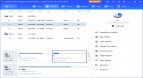
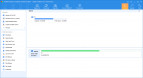
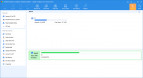
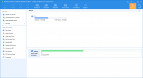




I already have this & it is very useful indeed.
I have been using this utility for many years. AOMEI support is excellent, they provide lots of easy-to-understand documentation, and are responsive to emails set to their support address. Highly recommended.
how to get free license
Some of the Features don't work unless registered ..... no registatrion code included. eg changing systerm disc MBR to GPT .......