
Must-have software downloads at your fingertips

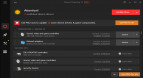
Driver Booster 13.1.0.171 is available free of charge on Download Basket. IObit is the creator of Driver Booster. This program is found among System Utilities, according to its main functionality.
The most widespread installation file names of the program are DriverBooster.exe, SkipUacTask.exe, SkipUacExec.exe, HWiNFO.exe and Driver_Booster.exe etc.
Users leave reviews stating that the considerable benefits of Driver Booster are: Driver Booster has an intuitive UI, is easy to use and understand, works like a charm, keeps getting better and is free to use. According to the community reviews, there are some disadvantages: Driver Booster displays obtrusive ads and locks up.
Notice that this tool can be launched on the following OSs: Windows XP/XP Professional/Vista/7/8/10/11 32-bit. The built-in antivirus system reports that the program is virus free. The most popular versions of the software that our community members choose are 6.1, 6.0 and 5.3.






I've used the free version of this for some years, and it has allowed me to update some of my drivers, but not all. IObit tends to push its products rather insistently, but the programs serve a genuine purpose.
Free version is available everywhere. The Premium version is better which can be available on GOTD.
I have waited for this utility for some time.
nice
Not free.
What are the limitations of this free version?
When do the free version/features expire?
IObit bad brand. This brand installed programs not permission
Braziol, it did ask for your permission during installation and you must have clicked on yes accidentally.
Always read everything carefully during installation. Some programs install bundleware.